
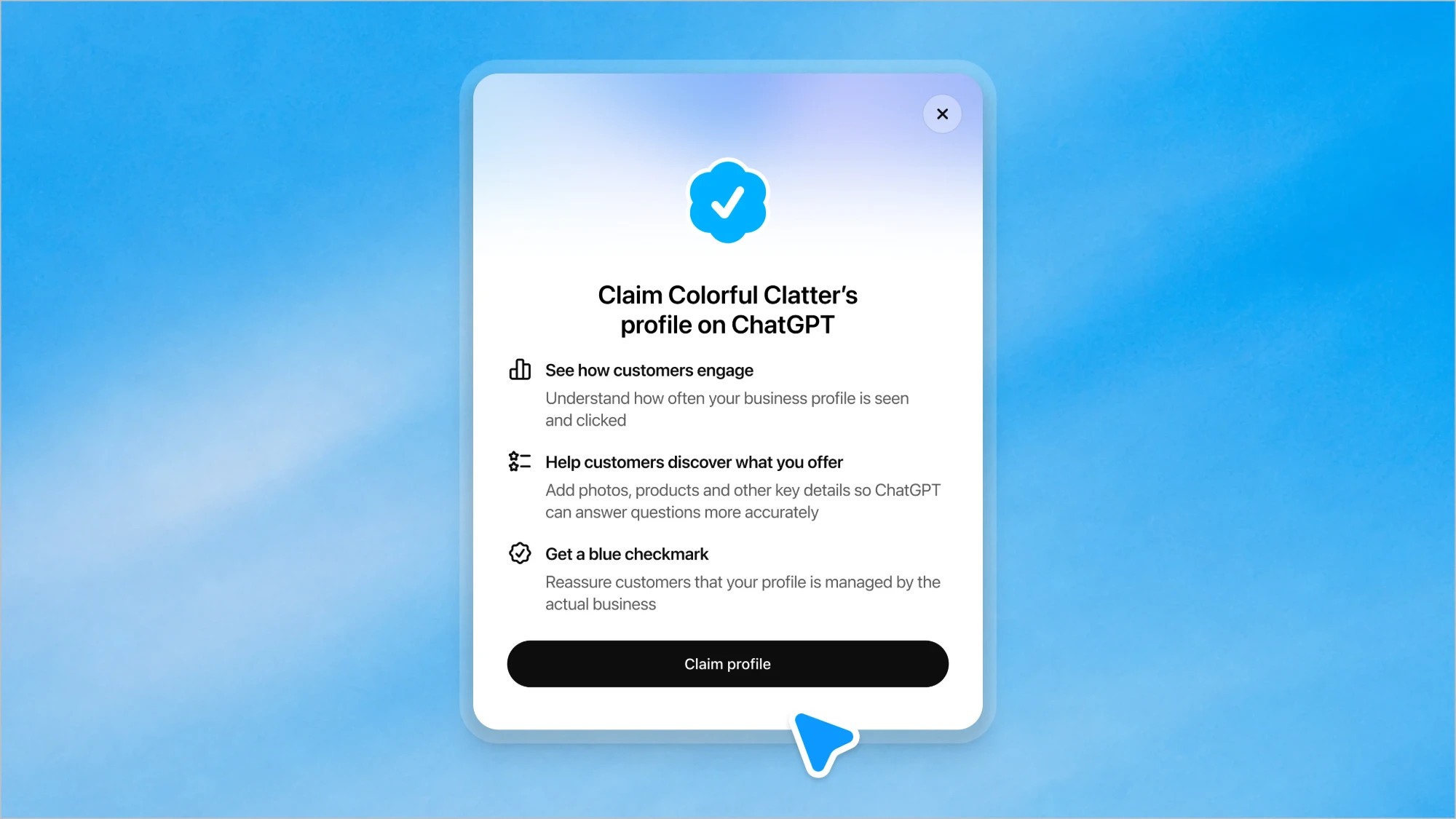
On November 10, 2026, OpenAI launched "Businesses in ChatGPT" (beta): a place where a company can claim its profile in ChatGPT, control what ChatGPT knows about it, and, for the first time, see how often it shows up and how many people click through to its website.
If you've been doing "AI visibility" by asking ChatGPT about your own brand and screenshotting the answer, this is the first official tool that replaces the guesswork with numbers.
What it actually is
ChatGPT now has about 1.2 billion weekly users, and more and more of them use it to discover products, compare options and decide what to buy. Until now, brands had no way to influence or even see what happens in those conversations. Businesses in ChatGPT changes that with three building blocks:
- Claimed business profile. You verify your company in the new Business Center and get a profile inside ChatGPT.
- Your data, fed directly. After verification you can update key company details and upload product data files with prices and availability.
- Business agents. A branded AI agent customers can chat with to ask about your offer.
How it works
1. Claim your profile. Any eligible business operating where ChatGPT is available can claim a profile through the Business Center. Existing OpenAI Enterprise customers and advertisers can do it via their OpenAI rep. Shopify merchants can connect their store from the Business Center or the Shopify admin to speed up verification, and eligible Shopify products are already in ChatGPT through Shopify Catalog.
2. Feed it accurate info. Once verified, you maintain the facts yourself: company details, products, prices, availability. ChatGPT can then answer from your data instead of whatever it scraped from random corners of the internet.
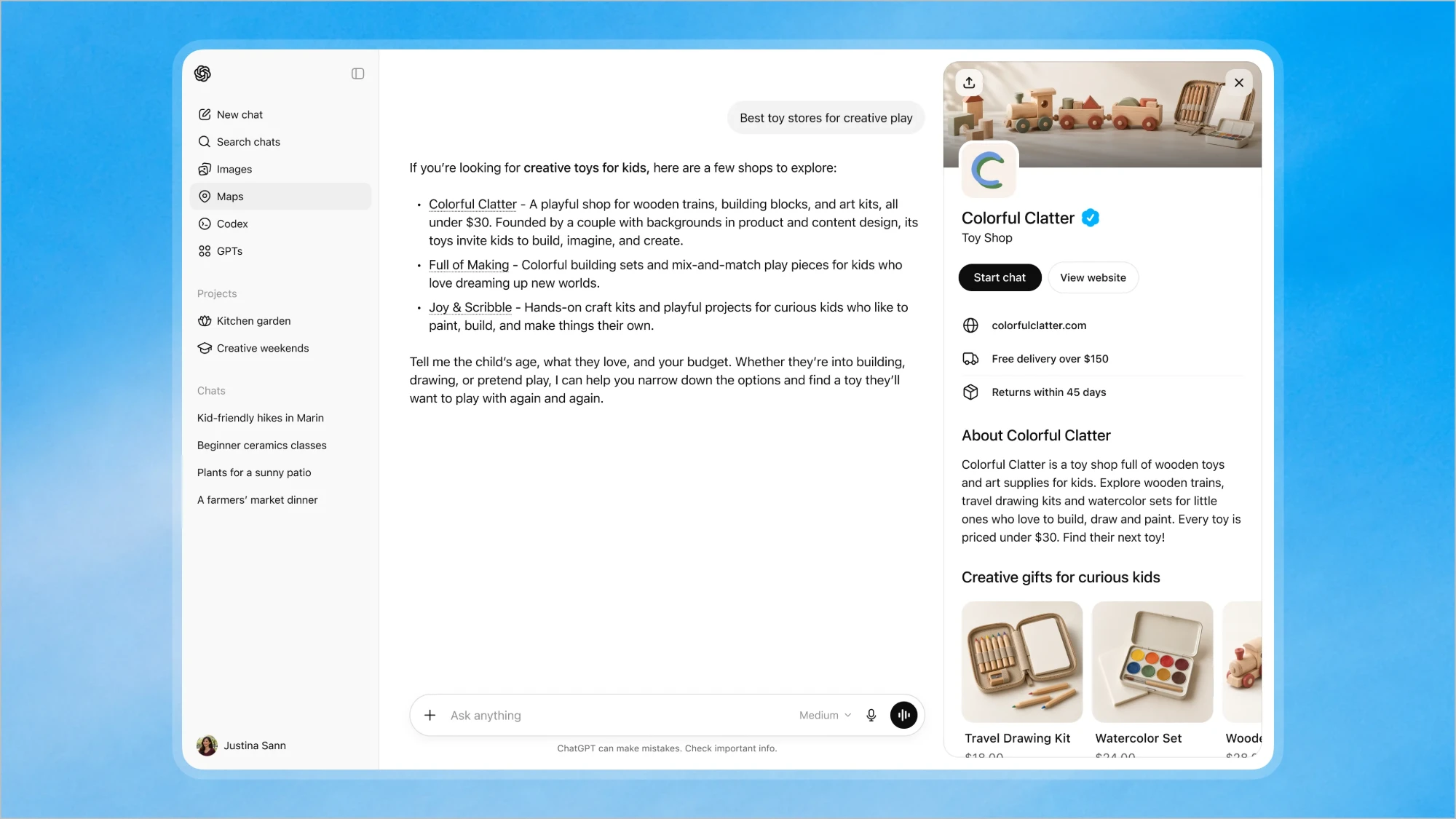
3. Show up in answers. When your business appears in a ChatGPT answer, the user can click to open your profile. If you have a business agent, they can start a conversation with it, for example to ask how two products differ and which fits their needs. The agent answers using the information you provided. That chat is clearly labeled and kept separate from the user's original ChatGPT conversation and from ChatGPT's independent answers.
4. Optionally, pay to push it. Businesses can promote their agent and send users to it from ChatGPT Ads. Sponsored content is clearly labeled and separated from regular answers.
How to claim your profile: verification step by step
This is not a "fill in a form" thing. OpenAI wants to be sure you are really the business you say you are, so verification has two stages. You do both inside Business Hub (open it from the ChatGPT sidebar).
- Find your business and choose a verification method. Search for your business by name, select the listing, and confirm which ChatGPT account will manage it. Then pick one of the offered methods: business phone (SMS or call code), business email (code), website domain, or Shopify.
- Add a DNS code (the domain method). ChatGPT shows you a TXT record: type, name/host and value. You paste it into your domain's DNS settings exactly as shown, wait for DNS to propagate, go back and click Verify domain. If someone else manages your DNS, send them the record.
- Wait for OpenAI to approve the claim. They review it and email you a decision or ask for more info.
- Verify your identity with Persona. After the claim is approved you must pass an identity check through Persona. You may need a government-issued ID, business registration information, and proof that you are authorized to represent the business. The business name, address and any registration or tax number must match your official records, otherwise the check fails.
- Get the blue check. The verified badge appears only after Persona is approved. Claiming alone does not give you one.
Until Persona is approved you cannot publish changes, connect a product feed, see insights or create an agent. And one more thing: if you create a new profile through Persona, OpenAI's approval publishes it automatically, and OpenAI Support cannot delete or hide a published profile, so only go ahead when you are ready.
The part marketers actually care about: tracking
The Business Center gives you aggregated stats on how people interact with your business in ChatGPT:
- Mentions of your business. For an online business, a mention counts when ChatGPT references your website; the brand name alone doesn't count.
- Profile views, as shown in the dashboard.
- Clicks to your website coming from ChatGPT.
- Topics through which users discover you, meaning the common conversation themes where your site is cited as a source.
That means you can finally see where your brand shows up (which topics and questions) and how many people really came from ChatGPT, instead of guessing from a vague "direct" or "referral" bucket in your analytics.
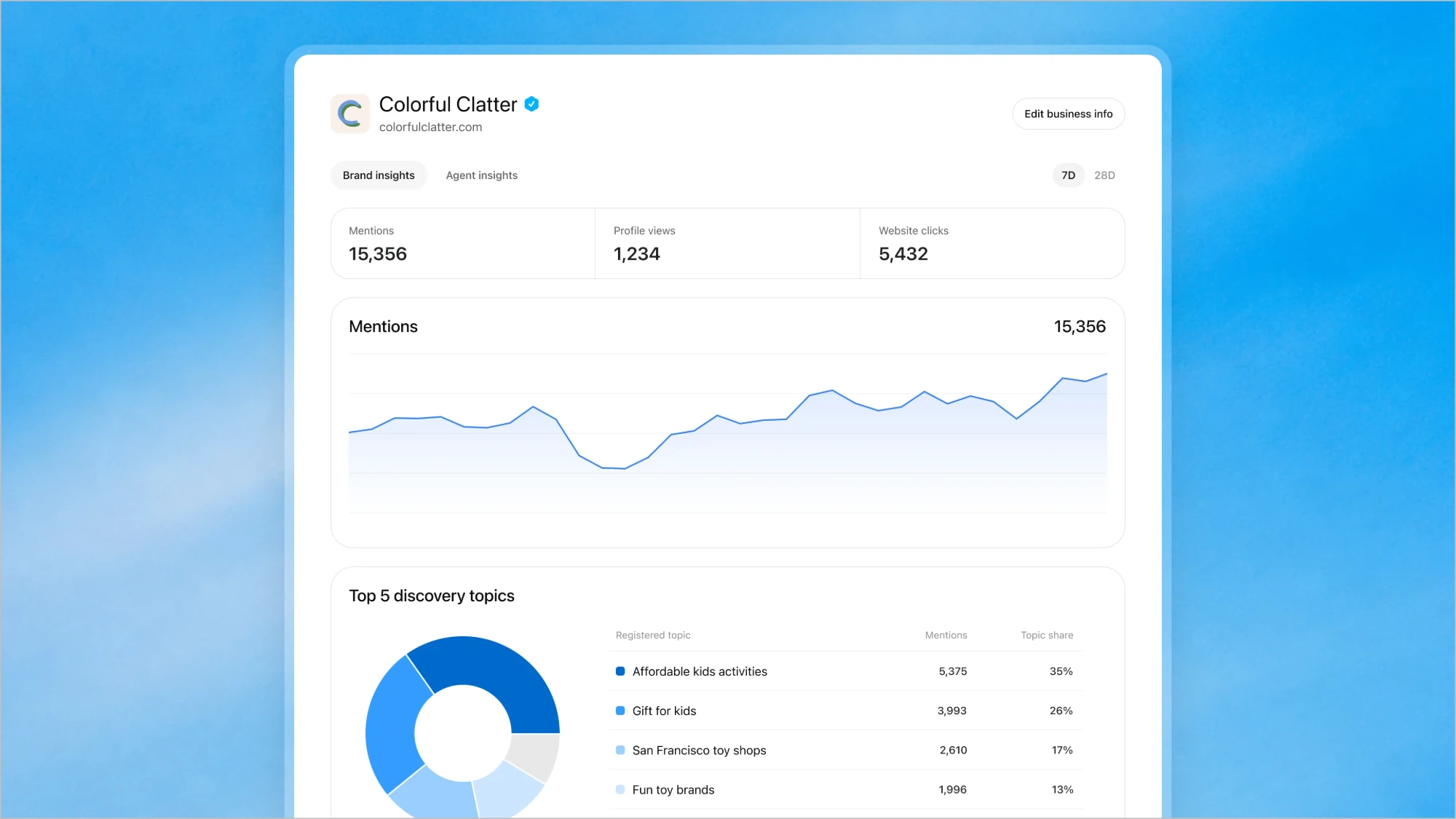
Two honest caveats. First, the stats are aggregated and appear only once conversations or interactions pass certain thresholds, so small brands may see little at first. Second, OpenAI does not share user conversations with businesses, including chats with business agents. You get the pattern, not the transcript. And "clicks" is not "sales": to connect ChatGPT traffic to revenue, keep tracking the visits in your own analytics and CRM as well.
Why this helps your business
- Correct information. Wrong prices, old product lines, outdated opening hours: you can now fix the source instead of hoping.
- Measurable channel. "AI visibility" stops being a feeling. Mentions and clicks can be tracked month over month and compared with your SEO and paid work.
- Insight into demand. The topics report shows what questions lead people to you, which is free content and positioning research.
- A conversation, not just a link. A business agent can handle the "which one should I pick?" moment, exactly where many purchase decisions get made.
- First-mover edge. Most competitors haven't claimed anything yet.
Availability: which countries, and what about Poland?
It's a beta, and availability has layers:
- Claiming a profile: open to eligible businesses located where ChatGPT is available, as long as the required verification is supported there. OpenAI says availability depends on the business's location and type, and does not publish a separate country list for Business Hub.
- Poland: ChatGPT is officially supported in Poland, so a Polish company falls under "where ChatGPT is available" and can in principle try to claim its profile. Whether your verification goes through is something you only learn by trying, since there is no per-country confirmation.
- Business agents: for now only eligible ecommerce and online service businesses in the United States, with a website. That means no business agent for Polish companies yet.
- Local shops and restaurants: currently only existing U.S. listings can be claimed.
OpenAI says it plans to expand to more markets and categories. For a Polish brand, the sensible move today is to try the claim, clean up your product data, and watch the stats as they roll out.
What to do this week
- Check whether you can claim your profile in the Business Center (Shopify store? Connect it).
- Audit what ChatGPT currently says about your brand and products.
- Prepare a clean product feed with prices and availability.
- Look for chatgpt.com in your referral traffic so you have a baseline to compare against.
Bottom line: people are increasingly asking an AI what to buy. For the first time, you can claim your spot in that answer, correct it, and count what it brings you. Not an ad. Better: something people actually asked for.
Sources: Introducing Businesses in ChatGPT (OpenAI) and Setting up your business on ChatGPT (OpenAI Help Center). Images and screenshots © OpenAI, used here to illustrate the announcement. ChatGPT and OpenAI are trademarks of OpenAI. This article is independent and not affiliated with OpenAI.